

Every mark on the page is a decision waiting to be made, not a verdict already handed down.
Opening a manuscript full of Track Changes markup for the first time is unsettling — the instinct is to accept everything just to make the red disappear, or reject whatever feels unfamiliar. Reviewing an editor’s track changes deliberately, one change at a time, is the only way to keep your own voice intact instead of reacting to the sheer volume of markup.
I’m Daniel J. Middleton, and over two decades in book design and editing is enough time to run into just about every production hiccup there is — and to know the fix.
This piece walks through a deliberate process for reviewing an editor’s suggested changes, so you’re making real decisions instead of reacting to how much red is on the page.
Why Does a Manuscript Full of Track Changes Look Worse Than It Actually Is?
Volume isn’t a verdict. Most of what shows up in a heavily marked manuscript is small — a comma, a verb tense, a repeated word two paragraphs back — not a rewrite of your ideas.
A page that looks solid red at a glance is usually dozens of tiny, individually reasonable corrections stacked close together, not one sweeping judgment on the writing itself.
What’s the Actual Process for Reviewing Editor Track Changes?
Skimming the whole document at once is how an author ends up either accepting everything or rejecting on instinct. A better process goes change by change:
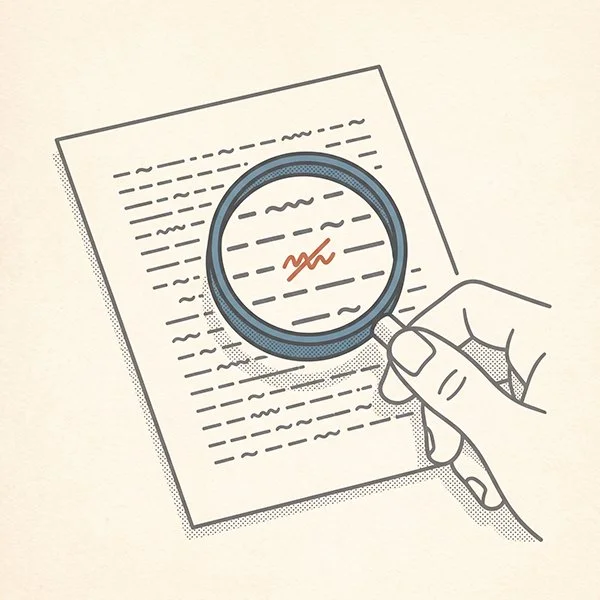
Open the Review tab and use Next. Move through the manuscript one tracked change at a time instead of scrolling past a wall of red.
Read the attached comment before deciding. Most nontrivial changes carry a comment explaining the reasoning, often tied to a style guide built specifically for that book.
Accept or reject deliberately, not in bulk. Bulk-accepting or bulk-rejecting skips the one step that actually makes a review a review.
Run a final “No Markup” pass. Once every change has been addressed, view the manuscript with markup hidden so you’re reading how it actually reads, not how it’s marked.
What Did a Real Letter to an Author Say About Reviewing Track Changes?
I wrote to Mark, the author of Stay Thirsty, before he ever opened his own edited manuscript, specifically to walk him through this process in Microsoft Word.
The letter did three things on purpose. It told him upfront not to be alarmed by the volume of red — most of it was clarity and consistency work, not a verdict on the writing. It walked through the Review tab mechanics: using Next to move change by change, and reading the comments for the reasoning behind each one.
And it closed on reassurance, in plain terms: “I’m just here to help it reach its full potential.”
That last part mattered more than the mechanics.
A heavy edit isn’t the editor rewriting the author — it’s calibration, not replacement.
Which Track Changes Should You Respect, and Which Can You Actually Reject?
Not every tracked change carries the same weight, and knowing the difference is what makes a review deliberate instead of arbitrary.
Changes worth respecting: grammar corrections, consistency fixes (a character’s eye color, a timeline detail), and anything tied to the book’s own style guide. These aren’t stylistic opinions — they’re corrections.
Changes you have real standing to reject: anything that changes how a sentence sounds in your own voice. If a suggested rewording is technically cleaner but doesn’t sound like you, rejecting it is a legitimate editorial decision, not stubbornness.
The goal isn’t zero rejections or zero acceptances. It’s a manuscript where every accepted change earned its place, and every rejected one was a real choice, not a reflex.
What Should You Take Away Before You Open Your Own Track Changes?
The volume of red in a freshly edited manuscript will always look like more than it is at first glance. That reaction is normal — it just isn’t a reason to start accepting or rejecting on reflex.
The manuscript stays yours the entire time you’re reviewing it. The markup is only showing you where to look, not making the decision for you.
If you’re getting ready to send your own manuscript out for editing, the get-started page walks you through what happens next.