

The correction that survives the handoff is the one made where the file actually lives, not the one drawn on top of it.
An edit that’s genuinely clean in Word doesn’t automatically stay clean once it moves into a laid-out file. Keeping that handoff clean — moving an edited manuscript into a formatted file without new errors creeping in — comes down to how corrections get collected and applied, not how careful the edit itself was.
I’m Daniel J. Middleton, and over two decades of formatting rejected files, editing manuscripts, and building book interiors from scratch has taught me where the real problems hide.
This piece walks through the actual steps that keep that handoff clean, so what comes out of layout still matches what was actually approved in the edit.
Why Does a Clean Edit Still Pick Up Errors on Its Way to a Formatted File?
Because a finished edit and a print-ready file are two separate states, not one continuous process. Is a clean edit the same thing as a print-ready manuscript? covers that distinction from the editing side — what an edit is actually scoped to catch, and what it isn’t. This piece picks up right where that one leaves off: once the edit is done, the manuscript still has to survive the move into layout without picking up new problems along the way.
Reflow, late corrections, and version confusion are where that drift actually happens. None of it means the edit failed. It means the handoff itself needs its own process, separate from the edit.
What Actually Keeps Late Corrections From Getting Lost Between an Author and a Formatter?
The failure mode is familiar: an author emails one correction, texts another, then mentions a third on a phone call. Just as often, all three show up as separate emails on three different days — a real pattern, not a hypothetical one. Either way, the formatter is left reconstructing what actually needs to change from scattered, disconnected threads.
The fix is one authoritative input channel instead of a trail of scattered messages. A shared Google Drive document, updated directly by the author as corrections come up, works well for this — there’s one current version of the correction list, not several conflicting ones living in different inboxes. The same one-source idea applies when the editor and the formatter are two separate people, and keeping both vendors on the same file covers that side of it.
Why Does an Itemized Proof-Correction List Work Better Than General Feedback?
Once the interior layout is reviewed, vague feedback like “a few things look off” doesn’t give a formatter anything to act on. What works is naming exactly where a correction goes and what it should become: the page number, which paragraph on that page — counted from the top or bottom, stated either way — which line inside that paragraph, and the exact text change. Something like: Pg. 15, paragraph 5 from the top, line 2 — change “they beome” to “they become.”
That same four-part format works whichever way it arrives — one entry per line in the body of an email, or a numbered list in a Word document. On a longer list, grouping the corrections in page order speeds up the pass on the formatting side, too.
Why Should Corrections Go Directly Into the Layout File Instead of PDF Markup?
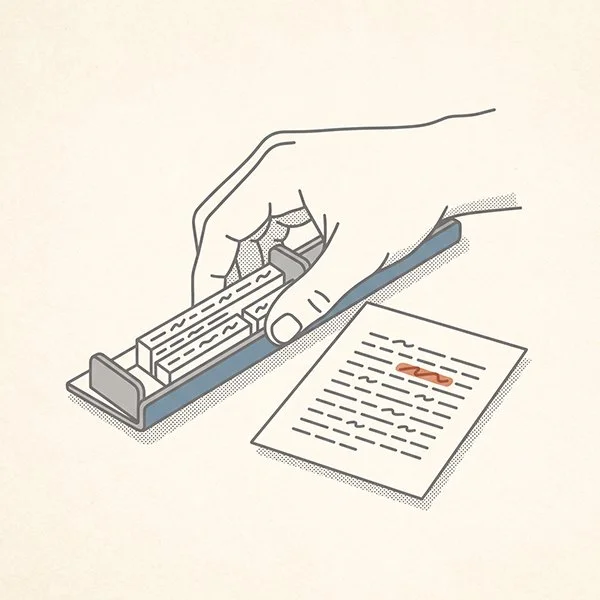
This is the part that trips people up most. Marking corrections on a PDF feels like the natural way to review a proof, and for a first read-through, it is. The risk shows up at the next step: reconciling those PDF annotations back into the actual layout file by hand.
Every one of those manual re-entries is a chance to shift text, break a line differently than intended, or nudge pagination somewhere it wasn’t supposed to move. A correction made directly in the source layout file avoids that risk entirely — there’s no translation step where something can drift.
That risk only compounds on a project that goes through more than one round of corrections — and some genuinely do. A couple of recent projects ran seven, eight, even eleven separate rounds of errata, each one reviewed and approved before the author or publisher’s own final check turned up one more thing worth fixing. The same itemized format and the same direct-to-source habit held up through all of them.
Version control matters just as much once several rounds stack up. Renumbering the working layout file after every round — clearly and consistently, every time — is what keeps a formatter from mistaking an older version for the one about to go to press. A correction approved into the wrong file version doesn’t show up as a problem until the book is already printed.
What Did a Real Manuscript Handoff Actually Look Like?
An anonymized author project made this concrete during a late-stage correction process. The author’s changes went into a shared Google Drive document instead of scattered emails. The layout review came back as a genuinely itemized list — alignment, spacing, missing hyphens, typefaces, dialogue paragraph breaks — and every fix on it got made directly in the layout source file, never layered on top as PDF markup.
How to prepare a manuscript before sending it to an editor covers the front end of that same project — what to clean up before an editor ever opens the file. This piece is the back end: what keeps the file clean on the way out of the edit and into layout.
A clean handoff isn’t one big safeguard — it’s four small habits, kept up together instead of any single one being treated as enough.
What Should You Do Before Your Own Manuscript Moves Into Layout?
Pick one place for corrections to live, and keep everyone pointed at it. Ask for anything you flag to come back as a specific, itemized list rather than a general impression. Once corrections start coming in, make sure they land in the actual layout file — not as a separate PDF markup pass that someone still has to reconcile by hand later. And renumber the working file after every round, so nobody works from — or sends to press — a version that’s already out of date.
None of that guarantees a flawless file. It does mean the errors that do show up are new ones worth catching, not old ones sneaking back in through a handoff nobody managed.
If you’re getting ready to move your own edited manuscript into a formatted file, the design portfolio shows the kind of finished work that process is built to protect.