

Why Is My Spine Text Off-Center or Missing on KDP?
A spine that’s off-center or missing isn’t a flaw in your design — it’s a number problem, and the number is your page count.
Your KDP spine text is off-center or missing for one of two reasons: your book doesn’t meet the 79-page minimum Amazon requires before it will print anything on the spine at all, or your cover was generated before KDP had a final, locked page count to calculate spine width against. Both are math problems, not design problems.
Neither one means your file is broken. It means the spine width calculation ran on the wrong number, or wasn’t allowed to run at all.
My name is Daniel J. Middleton — I’ve spent close to twenty years designing books for indie authors and publishers, and spine trouble is one of the most common “something’s wrong with my cover” messages that lands in my inbox, right up there with proof color surprises. Almost every time, the fix isn’t the cover file. It’s the page count feeding into it.
This article walks through why KDP enforces a page minimum for spine text, why the spine can shift even when your file looks right, and how to lock the calculation down before you upload.
Why Does KDP Require 79 Pages for Spine Text?
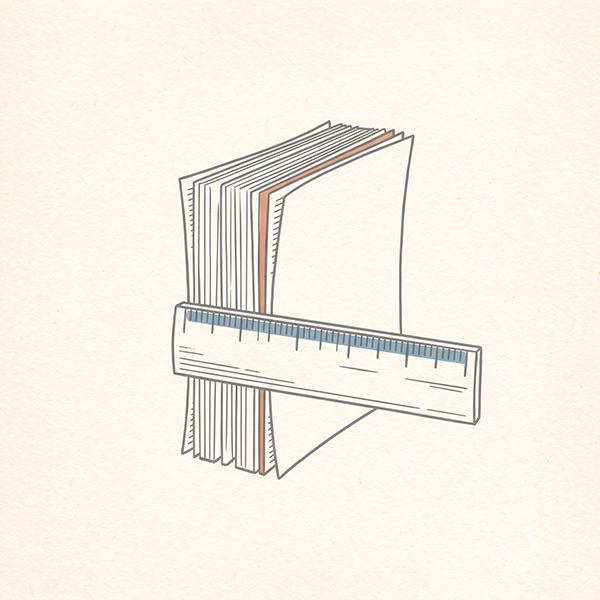
Spine width isn’t a fixed measurement for a trim size — it’s calculated directly from your page count and paper type. KDP uses roughly 0.002252 inches per page for white paper and 0.0025 inches per page for cream, plus a small allowance for the cover stock itself. A 79-page book on white paper works out to a spine of well under a quarter inch. Anything thinner than that, and there simply isn’t enough physical width to print legible text without it bleeding onto the front or back cover.
That’s why Amazon draws the line at 79 pages: below that, spine text isn’t rejected because your design is wrong — it’s rejected because the spine is physically too narrow to hold it. If your manuscript comes in at 60 or 70 pages and your cover file includes a title and author name on the spine, KDP will flag it every time, regardless of font size.
Spine width isn’t a design choice — it’s a direct output of your final page count and paper type, and it changes the moment either one does.
Why Does Spine Text Shift or Disappear Even Above 79 Pages?
This is the one that catches experienced authors off guard, because the book clearly clears the threshold and the text still looks wrong. The usual cause is sequencing: KDP’s Cover Creator calculates spine width from your uploaded interior file, and it can only do that once the interior has fully finished processing. Launch Cover Creator too early, and it builds your cover against a placeholder spine width instead of the real one — which is exactly what produces shifted or misaligned spine text in the preview.
The same problem shows up if you edit your manuscript after your cover is already built. Add or cut a chapter, adjust your margins, or change trim size, and your page count moves — but your existing cover file doesn’t know that. It’s still sized for the old spine width until you regenerate it.
What About Children’s Books, Coloring Books, and Other Low-Content Titles?
The 79-page floor hits picture books, coloring books, journals, and other low-content titles hardest, since it’s easy to land well under it with real content alone. It’s also worth knowing there’s an earlier wall that has nothing to do with spine text: KDP’s standard paperback minimum is 24 pages, but that number jumps to 72 pages the moment you select Standard Color ink instead of Premium Color. A lot of authors pick Standard Color by default because it’s the cheaper option, without realizing it carries a much higher page floor.
That’s exactly what happened with a client of mine who came to me trying to publish a full-color children’s picture book through KDP — large format, around 32 pages, real content, nothing unusual about it. The file wouldn’t process at all, and it turned out to be the Standard Color minimum, not anything wrong with her design.
She never got far enough to see a cover, let alone a spine text problem. Once I explained the ink-type floor, we set her up on IngramSpark instead, which doesn’t carry the same restriction. Her book has been live and selling ever since, with its own product page on Amazon even though it never runs through KDP’s print pipeline.
You’ll also see a lot of coloring books and other low-content titles with a blank page on the back of every design, and the stated reason is almost always the same: preventing marker or paint bleed-through. That’s a real phenomenon, but it isn’t the whole story for a lot of these books. KDP’s minimum page requirements for low-content titles used to sit higher than they do today, and plenty of coloring books built under that older, stricter threshold got padded with blank versos, extra front matter, and filler pages simply to clear the minimum required to publish at all — not to protect the artwork underneath.
Most low-content publishers were never chasing spine text; they were chasing a page-count floor that no longer applies the way it used to. It’s worth knowing the difference, if only so you’re not fooled into thinking every blank page is a deliberate design choice rather than a leftover workaround from a stricter era.
How Do You Get the Spine Calculation Right the First Time?
Upload your interior first, and wait. Let KDP fully process the file before you open Cover Creator or run the cover calculator. “Processing your file” needs to clear completely.
Use your final page count, not an estimate. If you’re designing a cover before layout is finished, treat that spine width as provisional and plan to regenerate it.
Recalculate after any manuscript edit. A changed page count means a changed spine, even if the change is small.
Keep spine text inside the safe area. KDP requires at least 0.0625 inches of clearance between your text and the spine edge — tight books have very little margin for error here.
Don’t pad a book just to clear 79 pages. Blank versos and filler front matter dressed up as a “design choice” are still padding, and customers who pay for a coloring book with thirty real pages notice. If the content genuinely doesn’t reach 79 pages, a platform without that floor is the better fit — not artificial bulk.
Lightning Source and IngramSpark use their own spine formulas, close to KDP’s but not identical, since it’s the same underlying print network with different account tiers. If you’re planning to publish the same title across platforms, recalculate for each one separately rather than reusing KDP’s spine width — and if IngramSpark is new to you, the file quirks that trip up first-time uploads there are worth knowing before you get that far.
What Should You Do If Your Spine Still Looks Wrong?
If your book is under 79 pages, the fix isn’t a formatting adjustment — it’s deciding whether to leave the spine blank, add real content that earns its place, or publish through a platform without that floor. If you’re above 79 pages and still seeing shifted or missing text, the fix is almost always a fresh cover generated against your true, final page count, not a manual nudge in your design software.
If you’ve checked both of those and the spine still isn’t lining up, get in touch and let’s track down what’s actually feeding the calculation.